Quick Start
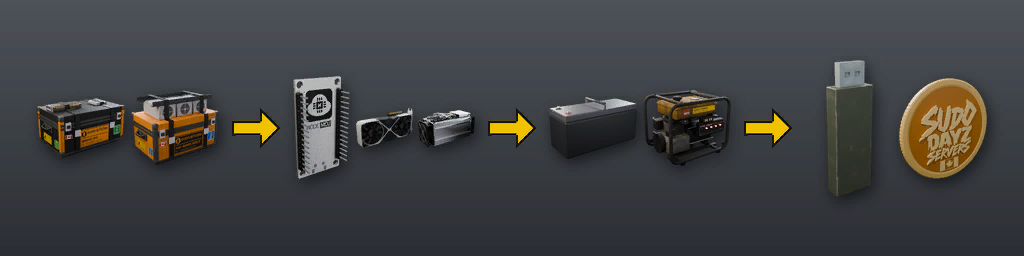
1. Get a kit from the trader and place it: the Mining Rig kit is Tier 1, the ANT Shelf kit is Tier 2.
2. Open its inventory and install the parts. Every rig needs a Bitcoin board and at least one mining device.
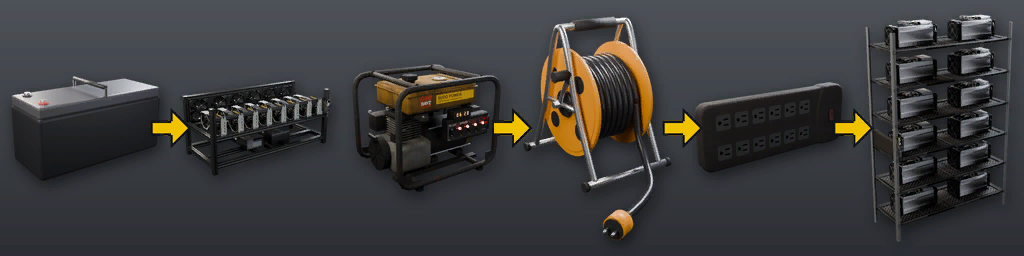
3. Give it power: a charged truck battery for Tier 1, a running generator through a cable reel for Tier 2.
4. Look at the rig, choose Manage and press Start mining.
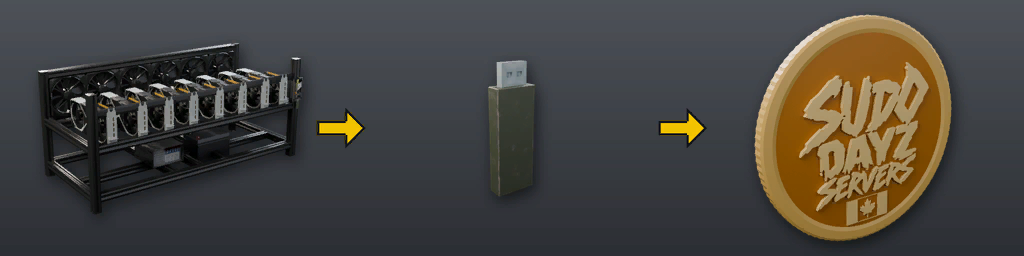
5. Attach a USB wallet and press Transfer to USB to collect your coins.
6. Stop mining before you change any part: parts are locked while the rig runs.
Which rig?
Both rigs use the same menu, board and USB wallet. They differ in power and in what they mine with.
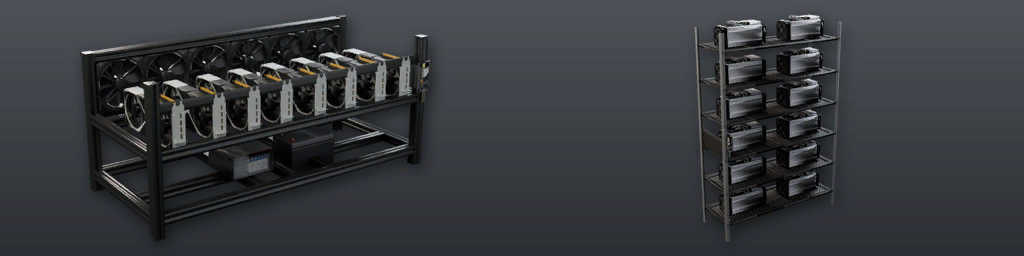
| Tier 1: Mining Rig | Tier 2: ANT Shelf | |
|---|---|---|
| Power | Charged truck battery | Generator and cable reel |
| Mining devices | 1 to 8 GPUs | 1 to 12 ANT miners |
| Required parts | Bitcoin board, PSU | Bitcoin board, Multiplug |
| Collect with | USB wallet | USB wallet |
Compare hash rate and power per device on the GPUs and miners tab.
Tier 1 setup
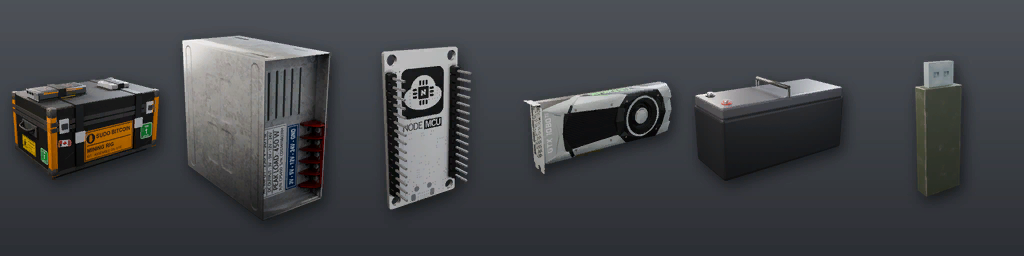
1. Place the Mining Rig kit where you want the rig.
2. Install the power supply (PSU) and the Bitcoin board.
3. Install 1 to 8 GPUs. More cards mine faster but drain the battery faster.
4. Attach a charged truck battery. The rig's screen shows the hours left. Swap or recharge it at 0%.
5. Attach a USB wallet to collect coins. It plugs into the side of the screen.
6. Choose Manage and press Start mining.
Tier 2 setup
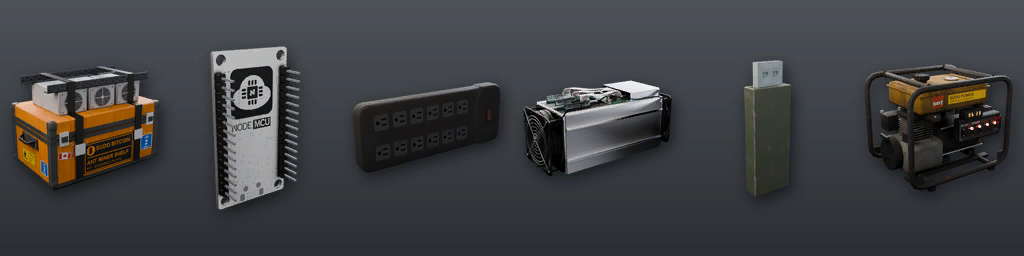
1. Place the ANT Shelf kit where you want the shelf.
2. Install the Bitcoin board and the Multiplug. The shelf takes no PSU or battery.
3. Install 1 to 12 ANT miners (S9, S19 or S21, any mix), then a USB wallet. The USB needs the board in first.
4. Add fuel and a good spark plug to a generator and start it.
5. Hold a cable reel and plug it into the generator.
6. Keep the reel in your hands, face the shelf and choose Connect cable to rack.
7. Put the reel down outside the shelf. A complete shelf starts mining when connected.
After any power loss, restore power and press Start mining again.
GPUs and miners
These are this server's values. A rig's speed is the sum of its working devices.
Lasts is how long a device mines before it is ruined. Coins over its life is what one device earns alone in that time. Each full bar pays out 1 coin.
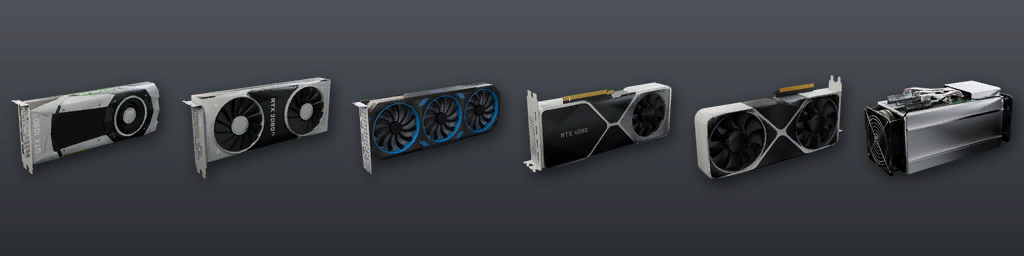
| Device | Hash rate | Power | Lasts (hours) | Coins over its life |
|---|---|---|---|---|
| GTX 1080 Ti | 70 H/s | 200 W | 144 | 1.05 |
| RTX 2080 Ti | 100 H/s | 250 W | 144 | 1.50 |
| RTX 3080 Ti | 155 H/s | 330 W | 144 | 2.32 |
| RTX 4090 | 170 H/s | 400 W | 144 | 2.55 |
| RTX 5090 | 220 H/s | 600 W | 144 | 3.30 |
| ANT miner | 400 H/s | 600 W | 144 | 6.00 |
| ANT S19 (tier 2) | 700 H/s | 900 W | 144 | 10.50 |
| ANT S21 (tier 3) | 1,100 H/s | 1,300 W | 144 | 16.50 |
Power
TIER 1: TRUCK BATTERY
The rig runs from one truck battery. More cards and bigger cards drain it faster. When it is empty, mining stops.
| Setup | Power draw | Full battery lasts (hours) |
|---|---|---|
| 1 x GTX 1080 Ti | 200 W | 768 |
| 8 x GTX 1080 Ti | 1,600 W | 96 |
| 1 x RTX 5090 | 600 W | 256 |
| 8 x RTX 5090 | 4,800 W | 32 |
TIER 2: GENERATOR
- The generator, cable reel and Multiplug must be joined by real cables. There is no wireless power.
- Cable length and sockets work as they do for any device.
- The shelf stops if the generator stops, runs out of fuel or loses its spark plug, or if a cable is unplugged. Restore power, then press Start mining.
GENERATORS, SOLAR AND CHARGING
Read the Electrician's Manual, also free from the trader.
Coins
Mining fills the progress bar. Each full bar pays 1 coin into the rig's storage.
A rig has no practical storage limit, so coins are safe in it until you collect them.
Press Transfer to USB to move coins into the attached USB wallet, up to 100 coins per stack. Coins that do not fit stay safely in the rig.
Mining only runs while the server is up. The rig does not need you nearby.
Take your coins to the trader to sell them.
Wear, dismantling
While mining, a Bitcoin board lasts about 576 hours and a PSU about 288 hours. Each device's life is on the GPUs and miners tab.
A ruined part stops the rig. It stays an item but cannot mine. Stop mining, take it out and fit a new one.
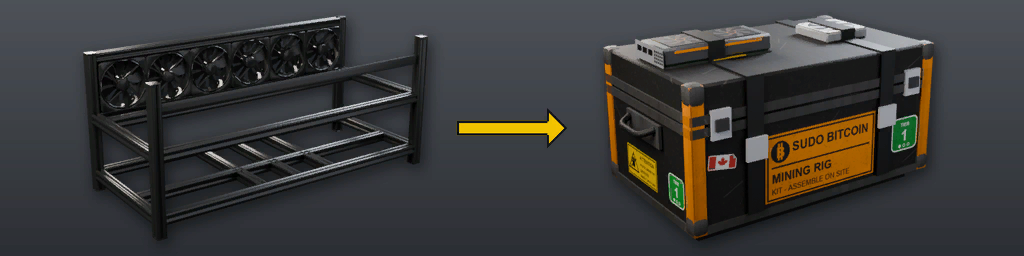
To dismantle a rig or shelf back into its kit, use a screwdriver on it. All of these must be true:
- Mining is stopped.
- All coins are collected: stored bitcoin reads 0.
- Every part is removed, including the USB wallet.
Troubleshooting
INSTALL BITCOIN BOARD / INSTALL PSU / ATTACH MULTIPLUG: that part is missing or ruined.
REPLACE RUINED HARDWARE: stop the rig and swap the ruined card or miner.
CHARGE BATTERY: the truck battery is empty or missing.
CHECK GENERATOR / CABLE: start or refuel the generator, check the spark plug and reel, then press Start mining.
STORAGE LIMIT: press Transfer to USB. If nothing moves, the USB is full or ruined; empty or replace it.
You cannot take a part out: stop mining first.
No screwdriver option: check the list on the Wear, dismantling tab.
No Connect cable option: the Multiplug must be attached, and the reel you hold must be plugged into a running generator.